Comparison
Ledger Nano X vs Trezor Safe 3 Workflow Comparison
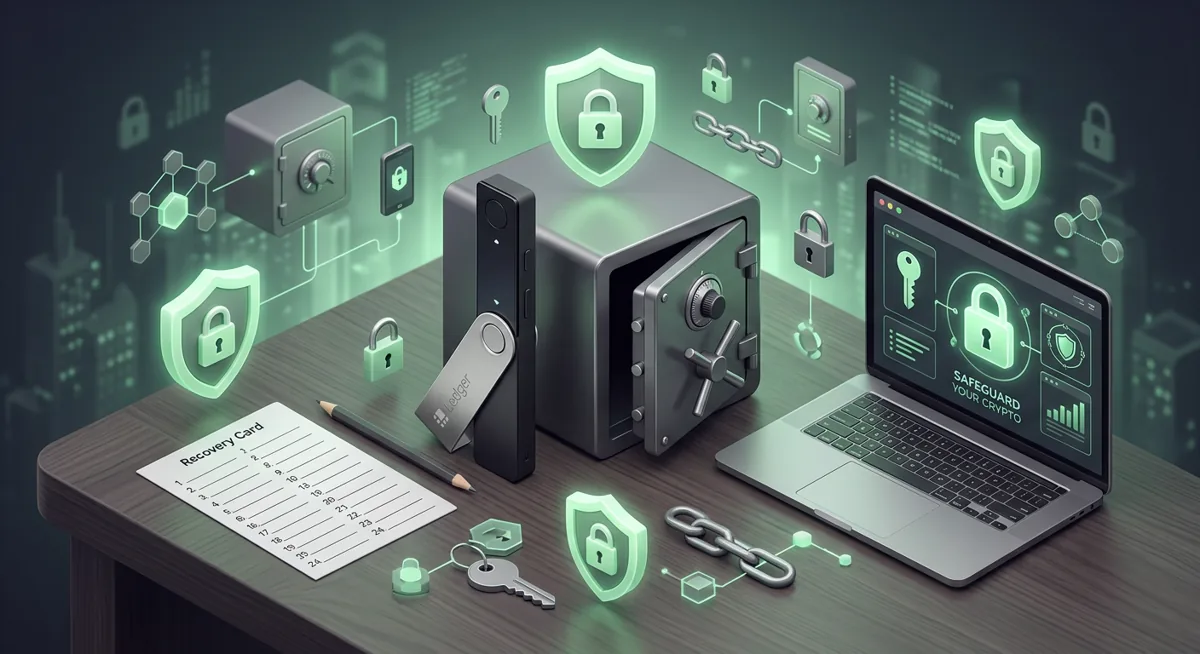
You buy a hardware wallet after hearing about a friend losing funds to a fake wallet prompt, then the box arrives and the real question begins: what do I do next without making an expensive mistake? I treat this as a hardware wallet comparison about workflow, not brand loyalty, because the risk is plain: one wrong approval or exposed recovery backup can move funds away from you.

In short
- Ledger Nano X is the better fit when you want broad phone and desktop coverage, with platform support listed as Desktop/laptop, Android, iOS.
- Trezor Safe 3 is the better fit when your priority is a transparent recovery plan and you are comfortable with platform support listed as Android (full compatibility); iOS (limited compatibility).
- Both devices can support broad portfolios, with Ledger Nano X listing Thousands of supported coins and tokens and Trezor Safe 3 listing 1000s of coins & tokens.
- The safest self-custody setup is less about the brand name and more about buying from the official source, verifying addresses on the device, and protecting the recovery backup.
Key facts
| Ledger Nano X | Trezor Safe 3 | |
|---|---|---|
| Supported coins & networks | Supported networks: Bitcoin, Ethereum, Solana, XRP, stablecoins Number of supported assets: Thousands of supported coins and tokens | Number of supported assets: 1000s of coins & tokens |
| Devices & platforms | Platforms: Desktop/laptop, Android, iOS | Platforms: Android (full compatibility); iOS (limited compatibility) |
| Price | — | — |
| Who controls the keys | — | Key custody: SLIP39 backups |
What is the plain-risk summary before setup?
A hardware wallet keeps signing keys off your everyday computer or phone, but it does not make every action safe. If a scam site convinces you to approve the wrong transaction, the device may still sign what you confirm. That is why I compare Ledger Nano X and Trezor Safe 3 by the moments where people make real mistakes: setup, address checking, app pairing, and recovery planning.
Here is the short version I give people during incident response:
- Choose Ledger Nano X if you need a wallet that fits across desktop, Android, and iOS workflows, because its platform support is listed as Desktop/laptop, Android, iOS.
- Choose Trezor Safe 3 if your recovery design matters most and you want its stated key-custody approach of SLIP39 backups.
- For asset breadth, both are built for broad use: Ledger Nano X lists Thousands of supported coins and tokens, while Trezor Safe 3 lists 1000s of coins & tokens.
- For a first self-custody setup, the safest habit is to slow down and verify every receive address on the hardware screen, not only in the wallet app.
If you are still learning wallet types, I would start with Wallet Basics for Safer Crypto Storage before moving funds. If you already know you want cold storage, the broader Self-Custody and Hardware Wallets for Safer Storage guide can help frame the decision.
Warning: if your recovery backup is photographed, typed into a website, stored in cloud notes, or shared with someone pretending to be support, they may be able to take the wallet over. The device cannot protect funds once the backup is exposed.
Which assets and networks are supported side by side?
For many readers, the asset question sounds simple: will this device hold my coins? In practice, I ask a more careful question: will this device support the networks you actually use, through a workflow you understand well enough to verify?
Ledger Nano X lists supported networks as Bitcoin, Ethereum, Solana, XRP, stablecoins. It also lists Thousands of supported coins and tokens. That makes it a strong fit for someone who holds a mixed portfolio and wants one hardware device involved in several wallet app workflows.
Trezor Safe 3 lists 1000s of coins & tokens. That also covers a broad range of common self-custody needs. The deciding issue is not only whether an asset exists on a support list; it is whether you know which network you are using when you receive or send.
Here is the concrete mistake I see often: someone receives a token on one network, then later tries to send it as if it lives on another. The wallet may show familiar names, but the network path matters. Before you move meaningful value, I prefer a small receive-and-confirm routine:
Step one: open the wallet app and choose the exact asset and network you intend to use.
Step two: show the receive address on the hardware wallet itself.
Step three: compare the beginning and ending of the address on the device screen against the app screen.
Step four: send a small test amount first when the destination, network, or app connection is new to you.
Step five: wait until the receiving wallet shows the funds as expected before moving more.
This routine is not about being nervous. It is about removing assumptions. Malware, browser popups, fake support chats, and clipboard tampering all depend on speed and distraction. A hardware wallet gives you a separate screen for verification; use it like a stop sign.
If your current computer may be infected, pause before pairing any wallet. I would clean up the environment first using the Crypto Home Security Checklist: Virus Checker Basics. A secure device connected to a messy computer can still be surrounded by misleading prompts.
Which platforms fit Ledger Nano X and Trezor Safe 3?
Platform fit matters because people usually protect the device, then overlook the phone or laptop used to operate it. The hardware wallet signs, but your daily device shows balances, prepares transactions, and displays prompts. If that screen is confusing, you are more likely to approve the wrong thing.
Ledger Nano X lists platform support as Desktop/laptop, Android, iOS. This makes it attractive if you switch between a laptop and phone, or if you want the flexibility to manage the same self-custody setup from more than one kind of device.
Trezor Safe 3 lists platform support as Android (full compatibility); iOS (limited compatibility). That can be completely workable, especially if your routine is centered on compatible devices and you do not need the same experience everywhere.
When I help someone choose, I ask them to describe their normal day. If they say, I mostly transact from my phone while traveling, Ledger Nano X may feel more convenient. If they say, I prefer a calm desk setup and rarely need mobile management, Trezor Safe 3 may fit well. Convenience is not a small detail; rushed workarounds create security gaps.
A careful platform workflow looks like this:
Step one: install wallet software only from the official Ledger or Trezor website by name, not from ads, messages, or search results that feel unusual.
Step two: set up the device in a private space where nobody can see the recovery backup.
Step three: write the recovery backup on durable offline material and keep it away from cameras.
Step four: create a routine for updates, address verification, and transaction review before you store larger balances.
Step five: practice recovery planning before there is an emergency, so your family or trusted executor is not left guessing.
For Ledger-specific setup and recovery flow, I would use the Ledger crypto wallet setup and recovery guide. For broader planning, especially if you are deciding where to store backups, use Cold Storage Best Practices for Safer Recovery.
Which hardware wallet fits which user?
I do not think of this hardware wallet comparison as a winner-takes-all contest. Ledger Nano X and Trezor Safe 3 can both be sensible choices. The better device is the one whose workflow you will follow correctly when you are tired, busy, or under pressure.
Choose Ledger Nano X if you want broad platform flexibility. Its listed platforms are Desktop/laptop, Android, iOS, and that matters if your self-custody setup includes both phone and computer use. It also fits users who expect to manage a broad set of assets, with Thousands of supported coins and tokens. If you already know you will need the networks listed for Ledger Nano X, those are Bitcoin, Ethereum, Solana, XRP, stablecoins.
Choose Trezor Safe 3 if you want a recovery-centered workflow and are comfortable with its platform fit, listed as Android (full compatibility); iOS (limited compatibility). Its asset support is listed as 1000s of coins & tokens, and its key-custody fact is SLIP39 backups. That recovery model may appeal to someone who wants to think carefully about backup resilience, inheritance, or the risk of losing one storage location.
Choose neither yet if you are in the middle of a wallet emergency. If you think a recovery backup, private key, or signing device has been exposed, do not keep experimenting on the same wallet. Move carefully, document what happened, and use the Lost Seed or Exposed Keys: Cold Wallet Crypto Checklist. Panic is when people sign malicious approvals, reveal more information to fake support, or move funds to the wrong network.
My protective rule is simple: the device is only one layer. Your backup storage, computer hygiene, password manager, email security, and physical access controls all matter. I like pairing any hardware wallet with a clean key-management routine from the Key management checklist for safer self-custody and stronger account protection from the Hardware Security Key Checklist for Wallet Safety.
If you want the least stressful path, pick the workflow you can explain out loud: where the recovery backup is, which device signs, how you verify addresses, and what you would do if the phone, laptop, or hardware wallet disappeared. If you cannot explain that yet, keep learning before moving serious funds.
Questions and answers
- Is Ledger Nano X or Trezor Safe 3 safer for beginners?
I would not call either device automatically safer for every beginner. Ledger Nano X may suit beginners who need the listed platform coverage of Desktop/laptop, Android, iOS. Trezor Safe 3 may suit beginners who want to focus on recovery planning and are comfortable with Android (full compatibility); iOS (limited compatibility). The safer choice is the one you can set up without rushing and recover without exposing the backup.
- Can a hardware wallet protect me from phishing?
It can reduce some risk by keeping signing keys off your everyday device, but it cannot save you from approving a bad transaction. If a fake site shows a transaction and you confirm it on the hardware wallet, the device may sign exactly what you approved. That is why address and transaction review matter.
- Should I test the wallet before storing more crypto?
Yes. I prefer a small receive test, then a small send test, before storing more value. The point is to confirm that you understand the app, network, receive address, and recovery plan before the stakes feel stressful.
- What should I do if my recovery backup was exposed?
Treat it as urgent. Do not type the backup into websites or send it to anyone claiming to help. Use a clean environment, create a new secure wallet setup, and move funds only after you understand the network and address details.