Security checklist
Cold Storage Best Practices for Safer Recovery
You open a drawer to check on your wallet backup, and the envelope is not where you remember leaving it. That quiet jolt is the right moment to think through cold storage best practices before stress, travel, a house move, or a family emergency makes decisions harder.
In short
- Cold storage works best when the wallet, recovery backup, and access instructions are stored separately.
- Physical security should protect against theft, fire, water, curious visitors, and your own future confusion.
- A backup is not complete until you have tested that you can recover without exposing the recovery phrase.
- Hardware security keys can help protect exchange, email, and password manager accounts tied to wallet recovery.
- A recovery plan should tell a trusted person what to do without giving them unnecessary access today.
What cold storage risks should you plan for first?
Cold storage means keeping signing power away from everyday internet exposure. That helps, but it does not remove physical risk. I have seen people lose access because a backup was thrown out during a move, damaged by water, hidden too well, or stored next to the wallet it was meant to rescue.
Use this checklist as a practical security review. If you are still choosing between self-custody and a custodian, start with Self-Custody and Custodial Wallets Explained. If you already use a device, pair this with Self-Custody and Hardware Wallets for Safer Storage.
How should you separate wallet, backup, and instructions?
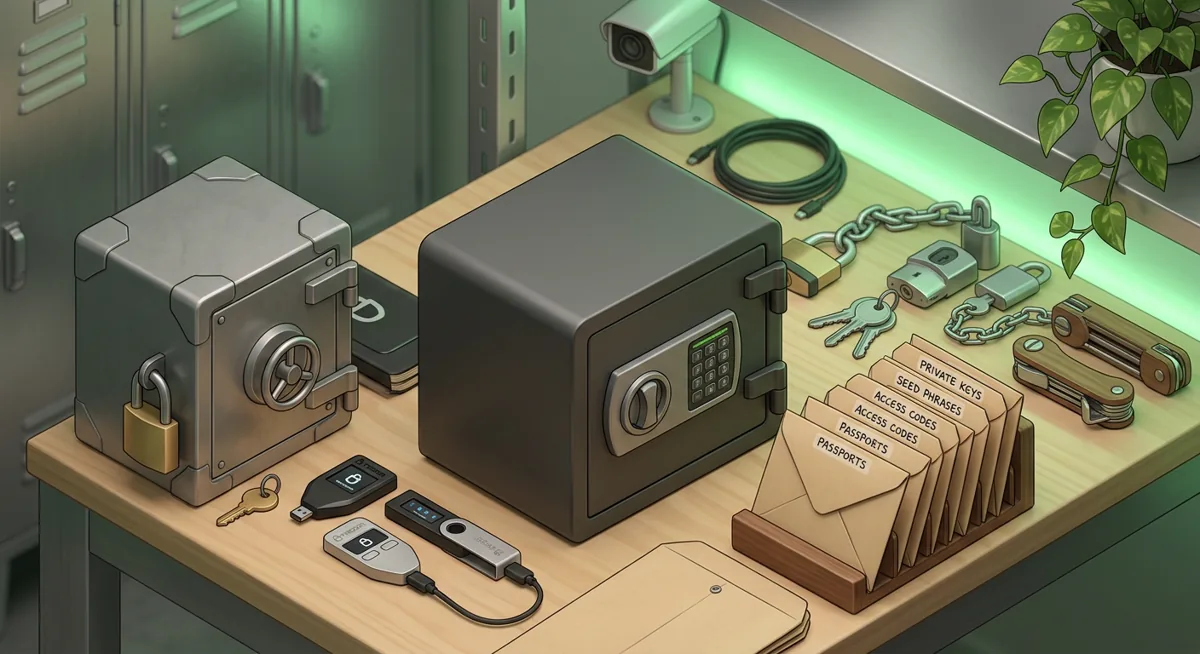
- Keep the hardware wallet in one secure place and the recovery backup in another secure place.
- Do not store the recovery phrase in the same bag, drawer, safe, or travel pouch as the wallet.
- Do not photograph, scan, type, or cloud-sync the recovery phrase.
- Store written recovery instructions separately from the recovery phrase itself.
- Label items in a way that helps your future self without advertising that crypto is present.
What physical security should you use at home?
- Use a locked container for the wallet and a stronger protected location for the recovery backup.
- Consider a safe from a reputable safe maker such as Amsec if you need fire, impact, and forced-entry resistance.
- Bolt down any safe that is light enough to carry.
- Keep the safe location private; a safe that every visitor notices becomes a target.
- Think about ordinary disasters: leaks, smoke, cleaning, pests, renovation, and someone tidying up.
How should you handle spare keys and access to safes?
- Treat a safe key like access to the recovery backup, not like a house key.
- Avoid casual key copying for storage locations that protect wallet materials.
- If you use a key duplication service such as Ekster or another provider for everyday keys, do not mix that workflow with keys that guard recovery material unless you have a clear security reason and trust the process.
- Keep a record of who can open each locked location.
- Remove access when a roommate, employee, contractor, or former partner should no longer have it.
How should you create a backup without creating more risk?
- Write the recovery phrase offline, privately, and without cameras nearby.
- Check the words carefully on the wallet device screen and on your written backup.
- Use durable backup material if paper would be too fragile for your living situation.
- Store the backup where heat, water, and casual discovery are less likely.
- Never enter the recovery phrase into a website, support chat, form, email, or phone app.
Warning: If someone gets the recovery phrase, they may not need your hardware wallet to move funds. If you lose the recovery phrase and the device fails, you may not be able to recover. The goal is controlled redundancy, not convenience.
How should hardware security keys fit into cold storage?
- Use hardware security keys, such as Yubico-style security keys, for the email account tied to exchanges, wallet notifications, password managers, and cloud storage.
- Register more than one security key where the service allows it, and store the spare separately.
- Do not keep the spare security key on the same keyring as your everyday key if that keyring is often lost, borrowed, or left in bags.
- Write down which accounts use each security key so recovery is not guesswork.
- Review the Hardware Security Key Checklist for Wallet Safety before you change account settings.
What recovery plan should you write down?
- Write a plain-language recovery plan that explains where to find the wallet, where to find the backup, and who to contact for help.
- Do not include the recovery phrase inside the plan.
- Name a trusted person who understands that urgent messages about crypto are often scams.
- Add instructions for emergencies such as hospitalization, death, evacuation, or a lost device.
- Rehearse the plan without revealing the recovery phrase, so you know the steps make sense.
What should you review on a regular schedule?
- Confirm that the wallet powers on and you still know the passcode.
- Confirm that the backup is readable and in its expected location.
- Confirm that trusted people and access lists are still current.
- Confirm that exchange, email, and password manager accounts still use strong sign-in protection.
- Update the plan after a move, divorce, estate change, burglary, flood, fire, or major wallet change.
Why does each cold storage control matter?
Separation prevents a single bad day from becoming total loss
If the wallet and recovery phrase are together, a thief, guest, or contractor who finds one may find both. I like separation with a map that does not reveal the treasure: the plan tells a trusted person what to find and who can help, but it does not expose the secret list of words.
Physical security protects against boring failures
People often imagine dramatic events, but the common failures are ordinary. A drawer gets emptied. A basement floods. A moving box goes missing. A child finds something interesting. Good physical security is quiet and practical: lock it, hide it, protect it from damage, and make sure you can still find it later.
For a broader foundation, see Wallet Basics for Safer Crypto Storage and Hardware Wallet and Device Security Overview.
Backup quality matters more than clever hiding
A backup that nobody can read is not a backup. A backup hidden so well that you forget it is also not a backup. I prefer boring clarity: legible writing, durable storage, and a recovery plan that you can follow while tired or upset.
Key control is part of wallet control
A strong safe loses value if too many people can open it. Key duplication services can be useful for normal life, but wallet recovery materials are not normal keys. Ask yourself: if this key is copied, photographed, misplaced, or mailed to the wrong place, what can happen next?
Hardware security keys reduce account takeover risk
Cold storage can still depend on online accounts. Your exchange account, email inbox, password manager, and cloud account may contain purchase records, withdrawal addresses, support messages, or clues about where assets are held. Hardware security keys add a physical approval step, which makes remote account abuse harder. They do not replace a hardware wallet, but they protect the accounts around it.
Recovery planning protects your future self
In incident response, I often meet people at the worst possible time: device broken, loved one unavailable, support impostors circling, and no written plan. A recovery plan gives you a script when stress is high. It should answer: what do I have, where is it, who can help, and what should never be shared?
A simple cold storage procedure
Step one: List every wallet, exchange, email account, password manager, safe, and security key involved in your crypto setup.
Step two: Mark which items can move funds, which items can recover access, and which items only provide information.
Step three: Separate the wallet from the recovery backup and separate both from the written instructions.
Step four: Protect each location against theft, fire, water, and accidental disposal.
Step five: Add hardware security keys to important online accounts where supported, and store a spare safely.
Step six: Test your recovery understanding without typing the recovery phrase into any connected device.
Step seven: Review the plan after life changes and after any suspected compromise.
If you use a hardware wallet, Hardware wallets: safer self-custody basics is a useful companion while you refine the setup.
Questions and answers
- Should I keep my hardware wallet and recovery phrase in the same safe?
I would not. Keeping them together creates a single point of failure if the safe is stolen, opened by the wrong person, or damaged.
- Is a key duplication service safe for crypto storage access?
Use extra caution. A key duplication service may be fine for ordinary keys, but keys that protect recovery material need stricter handling.
- Do hardware security keys replace a hardware wallet?
No. Hardware security keys protect sign-ins to accounts such as email, exchanges, and password managers. A hardware wallet protects transaction signing and recovery for self-custody.
- How often should I review my cold storage plan?
Review it whenever your life changes or your setup changes. A move, new safe, new device, changed relationship, estate update, or suspected exposure is enough reason.
- What is the biggest mistake in cold storage?
The biggest mistake is confusing hidden with recoverable. If nobody trustworthy can follow the plan during an emergency, the assets may be out of reach even though they were never stolen.