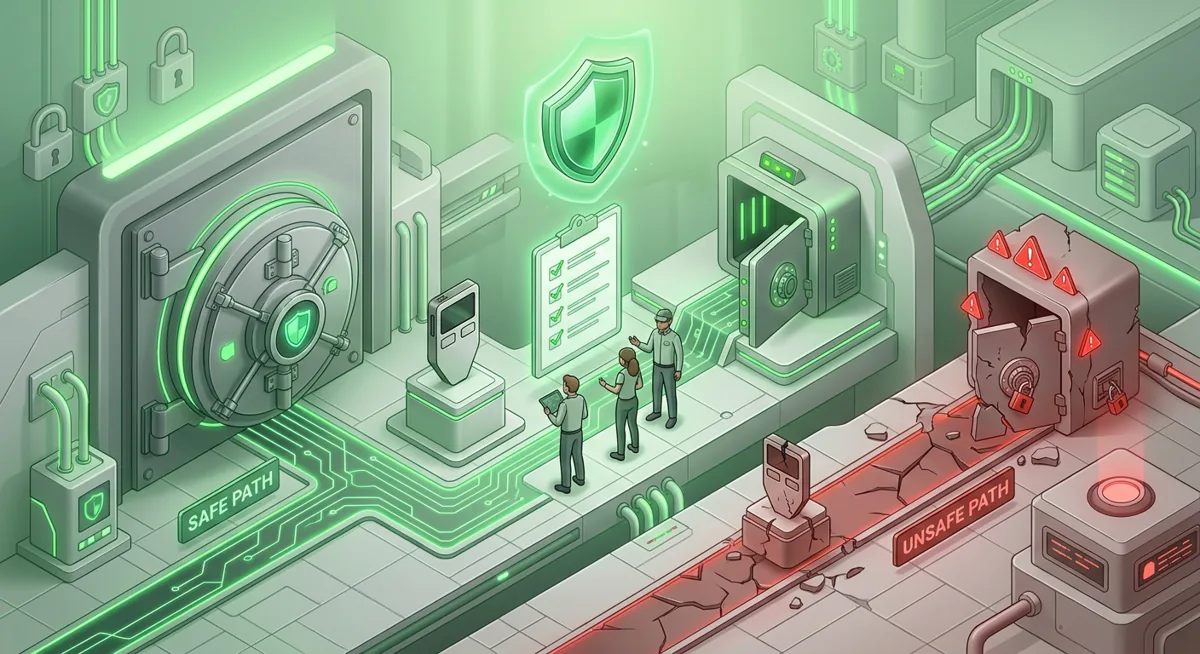
Security checklist
Suggest Strong Passwords for Wallets and Accounts
You open your wallet app, see a login prompt, and realize you’ve been using the same password for shopping and email. I’ve helped people deal with the consequences of exactly this kind of situation, where a scammer gained access to their account, so I want to make the nature of the risk clear: if a single weak password is compromised, your entire cryptocurrency system could be at risk.

In short
- A secure wallet password should be unique, long, stored in a password manager, and never reused for email, exchanges, wallet apps, or cloud backups.
- A passphrase is usually easier to remember than a random password, but it should still be unique, confidential, and not based on well-known facts about you.
- A password manager can suggest strong password options and reduce password reuse, but you should handle its master password and recovery settings with extreme caution.
- A recovery phrase is not a password; never enter it on a website, in a support chat, in a form, in your password manager notes, or on a shared device.
- A Yubico security key or YubiKey can help protect supported accounts, but it is not a substitute for securely storing your wallet's recovery phrase.
What password checklist should I use for wallets and accounts?
Start with the plain risk: a password protects access, but a recovery phrase or private key controls funds. If an attacker gets your exchange login, they may try withdrawals. If they get your wallet recovery phrase, they can move assets without needing your app password at all.
Use this checklist before you create or change passwords for MetaMask, Trust Wallet, Exodus, Coinbase Wallet, email, cloud storage, and exchange accounts.
Core wallet password best practices
- Use a different password for every wallet app, exchange, email account, and password manager.
- Let a reputable password manager suggest strong password options for accounts where you do not need to type the password often.
- Use a long passphrase only when you truly need to remember and type it yourself.
- Do not build passwords from your name, pets, birthdays, favorite teams, wallet brand, or public social posts.
- Do not reuse a password that has ever been shared, messaged, stored in a screenshot, or entered on a suspicious page.
- Do not save wallet passwords in plain notes, photo galleries, chat threads, or browser bookmarks.
- Lock every device that can open your wallet, email, password manager, or exchange account.
- Turn on multi-factor protection for custodial accounts and email, preferably with a security key when supported.
Passphrase vs password: how I choose
A password can be random and stored. A passphrase is a longer phrase you may remember. The safest choice depends on the job.
- For a password manager entry, I prefer a random password generated by the manager.
- For the master password of the password manager, I prefer a long passphrase that is memorable only to me.
- For device unlocks, I avoid anything someone nearby could guess from my life.
- For wallet app passwords, I choose something unique and not connected to the recovery phrase.
A wallet password is usually a local lock for that app or device. Your recovery phrase is different. It is a list of words that can restore the wallet. I treat that phrase like direct control of the wallet, not like a login password.
Warning: if you paste your recovery phrase into a fake support page, a scam form, a cloud note, or a stranger’s “verification” tool, funds can be moved away quickly. Changing the wallet password afterward may not bring those funds back.
Step-by-step: how I create a stronger setup
Step one: Start with email. Your email often resets exchange accounts, cloud backups, and password manager access. Give it a unique password and multi-factor protection before you fix wallet logins.
Step two: Secure the password manager. Create a master passphrase that is not reused anywhere else. Write down the manager’s emergency recovery instructions if it offers them, but keep them separate from your wallet recovery phrase.
Step three: Change reused passwords. Begin with exchanges, email, cloud accounts, and wallet-related services. If a password was reused, assume it could be tried elsewhere.
Step four: Generate unique passwords. For Coinbase Wallet-related accounts, browser profiles, exchange accounts, and email, use the manager to suggest strong password entries. For self-custody wallet app locks, create a unique password that you can enter accurately without saving it in an unsafe place.
Step five: Add stronger sign-in protection. For custodial platforms, email, and password managers, use an authenticator app or a hardware security key such as a Yubico security key or YubiKey when supported. Keep a backup method in a safe place so a lost key does not lock you out.
Step six: Separate recovery phrases. Store wallet recovery phrases offline and away from passwords. I explain this in more depth in Protect Seed Phrases and Hardware Wallet Keys.
Step seven: Clean the device. If you installed suspicious software, granted strange browser permissions, or typed credentials after a pop-up, pause before logging in again. Use the basics in Crypto Home Security Checklist: Virus Checker Basics.
Service-specific reminders
MetaMask is available on Chrome, Firefox, Brave, Edge, Opera, iOS, Android, Web and supports Hundreds of thousands of tokens, so I expect people to use it across several browsers and devices. That makes unique passwords and clean browser profiles especially important.
Trust Wallet works on iOS, Android, browser extension and supports Bitcoin, Ethereum, Solana, Cosmos, Optimism, BNB Smart Chain (BNB), Sui (SUI). If you use it on a phone and a browser, protect both environments, not just the app.
Exodus is Free and lets users Manage thousands of digital assets, including on Base. Because it can hold a broad mix of assets, I do not treat its app password as the only line of defense.
Coinbase Wallet supports millions of onchain assets. For any account tied to it, I want the email, device, and cloud backup path protected before I feel comfortable.
Why do these password choices matter for crypto?
Unique passwords stop chain reactions
When someone reuses a password, one exposed shopping, forum, or email login can become a crypto problem. Scammers test the same password against exchanges, cloud accounts, password managers, and wallet-related services. A unique password limits the damage to one place.
Password managers reduce human patterns
People tend to make passwords that feel random but follow a pattern: a favorite word, a symbol, then a small change for each site. Attackers know those habits. Password managers for crypto help because they can create and store passwords that do not depend on your memory or personal history.
I still protect the password manager carefully. If its master passphrase is weak, reused, or recoverable through an unsafe email account, the manager becomes a single sensitive point. That is why I secure email first and keep the master passphrase private.
Passphrases help only when they are private
A good passphrase is not a quote, lyric, family joke, address, or social media clue. The “phrase” part should help you remember it, but it should not help someone else guess it. If a friend, partner, coworker, or former roommate could predict it, I would not use it.
Wallet passwords are not recovery phrases
This is the mistake I see most after wallet-drainer incidents. A wallet password may unlock the app on your device. A recovery phrase can recreate the wallet somewhere else. If you lose a wallet password but still have the recovery phrase, recovery may be possible. If someone else gets the recovery phrase, a strong app password may not protect the funds.
For broader background, I would pair this checklist with Wallet Basics for Safer Crypto Storage and Self-Custody and Hardware Wallets for Safer Storage.
Security keys protect accounts, not everything
A Yubico security key or YubiKey can make supported logins much harder to abuse because the attacker needs more than a password. I like them for email, password managers, and exchanges that support them. But they do not protect a recovery phrase typed into a scam page, and they do not clean an infected device.
Recovery planning prevents panic
If you forget a password, lose a phone, or damage a laptop, panic can push you into unsafe “support” chats and fake recovery pages. Before that happens, write down where your legitimate recovery materials are kept and which official apps or devices you use. If access is already lost, use Wallet Recovery Steps When You Lose Access. If a phrase or key may be exposed, move carefully with Lost Seed or Exposed Keys: Cold Wallet Crypto Checklist.
The goal is not fear. The goal is to make every failure smaller: one lost password should not expose every account, one stolen phone should not expose every wallet, and one confusing pop-up should not become a full financial emergency.
Questions and answers
- Can you suggest strong password rules for a crypto wallet?
Yes. Use a unique password for each wallet app and account, make it long, avoid personal clues, and store account passwords in a reputable password manager. Keep the wallet recovery phrase separate and offline.
- Is a passphrase better than a password?
A passphrase may be more convenient if you need to memorize it and enter it manually, especially for the master login in a password manager. For regular accounts, a random password generated by a password manager is usually a better choice, since you don’t need to memorize it.
- Should I store my wallet recovery phrase in a password manager?
I don't recommend saving your wallet recovery phrase in a password manager note. A recovery phrase isn't like a regular password; I store it offline, in a secure location, and separately from my login credentials.
- Do hardware security keys protect MetaMask or Trust Wallet?
Security keys primarily protect accounts supported by these devices, such as email, exchanges, and password managers. They are still useful because these accounts are often linked to your wallet, but they are no substitute for securely storing your recovery phrase.