Guide
Crypto Wallet Setup and Recovery for Software Wallets
You open your wallet to check a balance, and a pop-up asks you to restore, reconnect, or approve something before you can continue. That is the moment I want you to slow down, verify the wallet, and protect the recovery phrase before you act.
In short
- A crypto wallet is safest to set up on a clean device, from the official wallet source, with the recovery phrase written offline and never stored in screenshots or cloud notes.
- MetaMask runs on Chrome, Firefox, Brave, Edge, Opera, iOS, Android, Web and supports Hundreds of thousands of tokens, but every added network or token should still be verified before use.
- Software wallet recovery means reinstalling the wallet and entering your own recovery phrase locally, not sharing the phrase with support, websites, or strangers.
- If a recovery phrase or private key may be exposed, the safer response is to move funds from a trusted device to a new wallet with a new phrase.
- Common setup problems usually come from the wrong network, a hidden token, an outdated app, or a phishing page pretending to be wallet support.
Key facts
| MetaMask | |
|---|---|
| Supported coins & networks | Number of supported assets: Hundreds of thousands of tokens |
| Devices & platforms | Platforms: Chrome, Firefox, Brave, Edge, Opera, iOS, Android, Web |
| Price | — |
| Who controls the keys | — |
What should I do before setting up a software wallet?
The main risk is simple: if someone gets your recovery phrase or private key, they can move the funds without needing your wallet password. A wallet password protects the app on your device; the recovery phrase controls the wallet itself.
I treat MetaMask, Trust Wallet, Exodus, Phantom, and Coinbase Wallet as self-custody tools. Coinbase Wallet is different from a custodial Coinbase account; the wallet recovery phrase is still your responsibility.
Before you start, I recommend:
- Use a device you trust. If it has strange pop-ups, unknown browser extensions, or remote-access software you did not install, clean that up first. My plain-language starting point is the Crypto Home Security Checklist: Virus Checker Basics.
- Install only from the official wallet website or the official app store publisher page. Do not use ads, social media replies, private messages, or sponsored search results as your source.
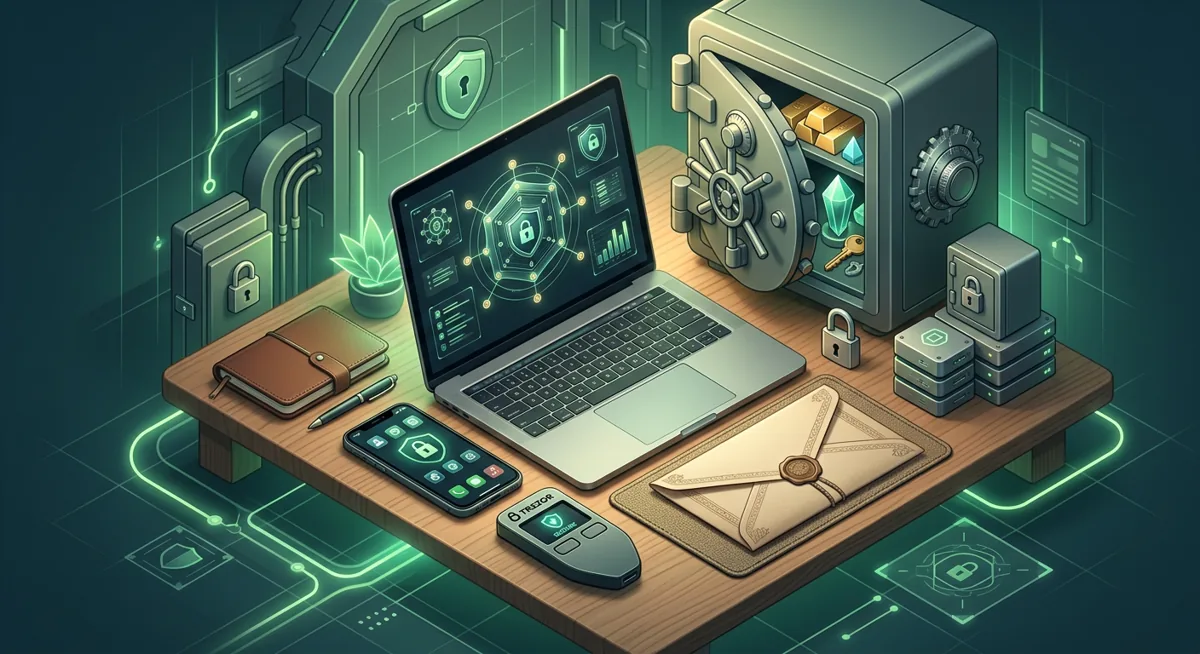
- Prepare offline storage for the recovery phrase. Do not photograph it, paste it into notes, email it to yourself, or save it in cloud storage.
- If you plan to store meaningful value, consider whether a hardware wallet is a better home for long-term funds. I explain that tradeoff in Self-Custody and Hardware Wallets for Safer Storage.
MetaMask is the service I will use for the main example here. MetaMask runs on Chrome, Firefox, Brave, Edge, Opera, iOS, Android, Web and supports Hundreds of thousands of tokens. That range is useful, but it also means you may see lookalike tokens, unfamiliar networks, and approval prompts that deserve review.
Warning: Never enter a recovery phrase into a website that says it will “sync,” “validate,” “unlock,” or “secure” your wallet. Real recovery happens inside the official wallet app or extension during restore.
How do I set up MetaMask and similar software wallets safely?
Use these steps for metamask wallet setup, and adapt the same habits for trust wallet setup, exodus wallet setup, phantom wallet setup, and coinbase wallet setup.
Step one: start from the official source. Open the official MetaMask website by typing the name yourself, or use the official publisher page in your device app store. I avoid search ads for wallet setup because impersonators often imitate trusted brands.
Step two: check the environment. On desktop, review browser extensions and remove anything you do not recognize. On mobile, avoid setup while screen sharing, using public Wi-Fi, or responding to someone coaching you in real time.
Step three: create or restore deliberately. Choose create if you are starting fresh. Choose restore only if you already have your own recovery phrase and you are sure you are inside the official app. If a stranger gave you a phrase, do not use it; they may already control it.
Step four: set a strong local password. This password locks the wallet app on the device. It does not replace the recovery phrase.
Step five: write the recovery phrase offline. Write the list of words exactly as shown, in the correct order, away from cameras and shared screens. Check the room: no video call, no phone camera, no cloud clipboard, no browser tab asking questions.
Step six: confirm the phrase in the wallet. Most wallets ask you to confirm that you recorded it. This catches spelling, order, and missing-word mistakes while the wallet is still easy to recreate.
Step seven: add networks only when you understand why. Only add a network from a trusted source, and make sure the asset you expect belongs on that network.
Step eight: test with a small transfer when practical. If you are moving funds into a new crypto wallet, send a small amount first and confirm it arrives on the correct network.
Step nine: review approvals before connecting to apps. A site connection may only identify an address, but an approval or signature may grant more power. If it mentions unlimited spending, unfamiliar contracts, or urgent rewards, stop and verify.
Step ten: record what you created. Keep a private note, separate from the recovery phrase, that says which wallet app you used, which networks matter, and where your offline backup is stored. Do not include the phrase in that note.
For broader habits, I recommend the Key management checklist for safer self-custody. If you use security keys for important accounts tied to your wallet life, also review the Hardware Security Key Checklist for Wallet Safety.
How does software wallet recovery work?
Software wallet recovery is not account recovery in the banking sense. There is usually no support team that can look up your phrase, reset it, or reverse a mistaken transfer. Recovery means recreating the wallet on a trusted device by entering the same recovery phrase into the official wallet app.
Here is the safe mental model I teach: the wallet app is a viewer and signer, while the recovery phrase is the root control. If your phone breaks, the wallet can be restored with the phrase. If the phrase is lost and no device still has access, the wallet may be unreachable. If the phrase is copied by someone else, they may restore the wallet elsewhere.
For software wallet recovery:
- Install the official wallet app or extension on a trusted device.
- Choose the restore or import option.
- Enter the recovery phrase only inside the official wallet interface.
- Set a new local password for that device.
- Add the networks and token displays you used before, if they do not appear automatically.
MetaMask, Trust Wallet, Exodus, Phantom, and Coinbase Wallet may show assets differently after recovery. A missing token display does not always mean funds are gone. Sometimes the wallet is on the wrong network, the token is hidden, or the address is not the one you expected.
If you think the phrase was exposed, do not keep using that wallet. Create a new wallet with a new recovery phrase on a trusted device, then move funds from the old wallet as soon as you safely can. For a calm checklist in that situation, use Lost Seed or Exposed Keys: Cold Wallet Crypto Checklist.
If you are new to the difference between self-custody and custodial accounts, start with Wallet Basics for Safer Crypto Storage.
What if setup or recovery does not look right?
When a wallet problem appears, diagnose before you act. Panic makes people trust the wrong screen.
The wallet shows no funds after recovery. First, confirm you restored the correct recovery phrase. Then check whether you are viewing the correct network. Many assets only appear when the right network is selected or when the token is added to the display.
The address looks different. You may have restored a different phrase, selected a different account inside the wallet, or used a different advanced import setting. Do not send funds until the address matches what you expect.
A site says your wallet must be synchronized. Wallets do not need your recovery phrase to synchronize with a website. If a page asks for the phrase, close it. If you already entered the phrase, treat it as exposed and move funds to a new wallet from a trusted device.
A transaction is stuck or failed. Check the wallet activity and the relevant network status inside your wallet or trusted explorer workflow. Do not keep repeating the same action blindly.
A token approval worries you. Disconnecting the site is not always enough. You may need to review and revoke token permissions using a trusted approval management process for that network. If you are unsure, move valuable assets to a fresh wallet.
The app asks for an update during recovery. Stop and verify the source. Update only through the official wallet website or official app store publisher page. A fake update prompt can push people into a lookalike wallet.
Support contacts you first. I do not trust unsolicited wallet support. Real support should never need your recovery phrase, private key, or remote control of your screen. If someone says they can recover funds only after you share those details, end the conversation.
Questions and answers
- Can MetaMask support recover my wallet if I lost the recovery phrase?
No support team should be able to reveal your recovery phrase. If you still have an unlocked device, you may be able to secure funds and create a new wallet. If the phrase is lost and no device has access, recovery may not be possible.
- Is Coinbase Wallet the same as a Coinbase account?
No. Coinbase Wallet is a self-custody wallet, so the recovery phrase controls access. A custodial Coinbase account has a different recovery model through the account provider.
- Should I store my recovery phrase in a screenshot?
I would not. Screenshots can sync to cloud storage, appear in backups, or be exposed by device malware. Offline storage is safer for most people.
- What should I do if I typed my phrase into a suspicious page?
Assume the wallet is exposed. From a trusted device, create a new wallet with a new phrase and move funds away from the old wallet as quickly and carefully as you can.