Guide
What Is a Crypto Wallet? Self-Custody for Beginners
You open MetaMask to move a small amount of crypto, and a website asks you to approve something you do not fully understand. The plain risk is this: a wallet mistake can give someone else the power to move your funds.
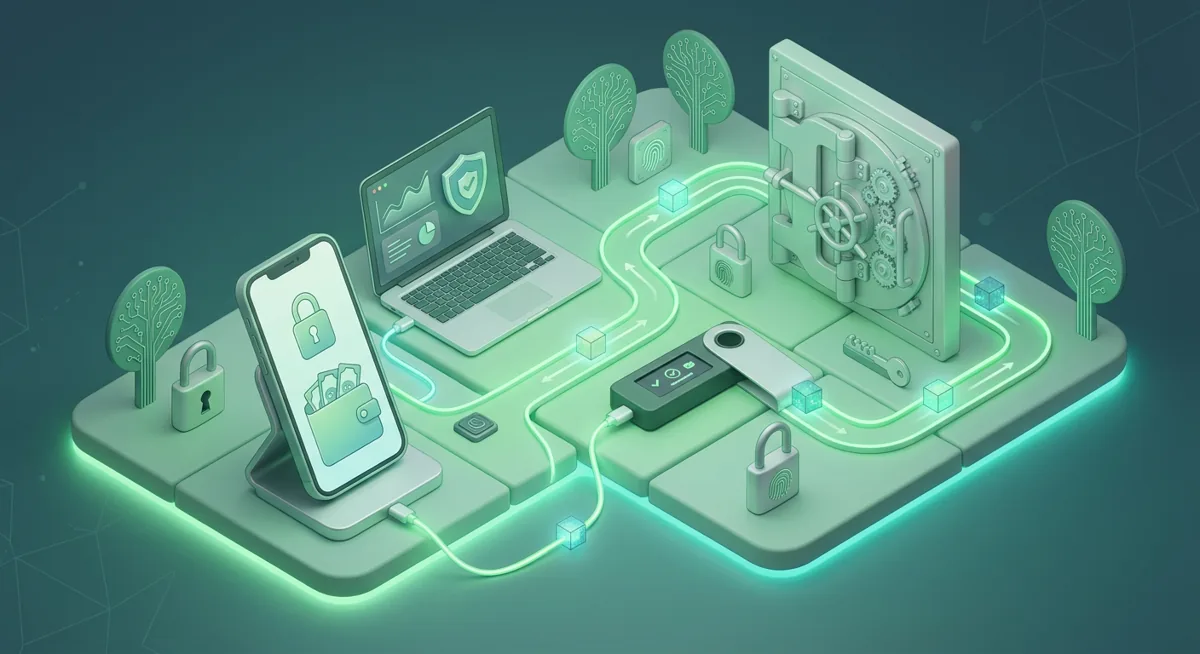
In short
- A crypto wallet manages keys that let you view addresses and sign blockchain actions; the coins are not stored inside the app.
- Self-custody means you control the private keys and recovery phrase, so backups and approvals are your responsibility.
- A custodial wallet is run by a service that controls the keys for you, while a self-custody wallet such as MetaMask puts key control on your device.
- Wallet safety depends on protecting the recovery phrase, checking prompts, and separating everyday funds from long-term storage.
Key facts
| MetaMask | |
|---|---|
| Supported coins & networks | Number of supported assets: Hundreds of thousands of tokens |
| Devices & platforms | Platforms: Chrome, Firefox, Brave, Edge, Opera, iOS, Android, Web |
| Price | — |
| Who controls the keys | — |
What should you understand before using a crypto wallet?
I want you to start with the risk in plain words: a crypto wallet is a signing tool. A signature can move assets, approve spending, or connect your address to a website.
What is a crypto wallet?
A crypto wallet is software or hardware that manages the keys connected to your blockchain addresses. The blockchain keeps the record of balances and ownership. Your wallet helps you prove, with a private key, that you are allowed to act from a specific address.
Your public address is like a receiving address people can see. Your private key is the authority to sign, and your recovery phrase can recreate that authority. You can share a public address to receive funds, but you should not share the private key or recovery phrase.
MetaMask is a common self-custody wallet. It supports Hundreds of thousands of tokens, and it is available on Chrome, Firefox, Brave, Edge, Opera, iOS, Android, Web. That convenience means you must be careful about where you install it, which device you use, and what prompts you approve.
Self-custody explained in calm terms
Self-custody means you control the keys. No support agent can reset your wallet for you if the recovery phrase is lost. That independence is the point, but it also removes many familiar safety nets.
A custodial wallet works differently. The company controls the keys and shows you an account balance. The tradeoff is that you are trusting the custodian’s systems, policies, and availability.
What you need before you begin
Before setting up or using a wallet, I would have these ready:
- A clean, personal device that you do not share casually.
- Time to read prompts slowly, without pressure.
- A private place to write down the recovery phrase.
- A storage plan where visitors, cameras, and cloud sync tools cannot see it.
- The official MetaMask website name, reached through a trusted path.
Warning: If you reveal your recovery phrase or approve a dangerous spending permission, funds can leave your control.
How do wallets interact with blockchain networks?
A wallet is a bridge between you and a blockchain network. It reads public blockchain data, prepares transactions, asks you to review them, and uses your key to sign only when you approve.
Think of the process in steps:
One. You open the wallet and choose a network.
The wallet needs to know which blockchain it is reading. If you are on the wrong network, your expected asset may not appear.
Two. The wallet shows addresses and balances.
It is reading public records from the network or a related service.
Three. You connect to a site when you choose to.
A connection usually lets the site see your address. By itself, connecting should not move funds, but it can expose what you hold.
Four. The site asks for a signature or transaction.
This is the critical review point. A login message is different from a transaction that sends assets or an approval that lets a contract spend tokens.
Five. You review the details before signing.
I look for the asset, the destination, the network, the fee, and whether the request is an approval rather than a direct transfer. If the screen is vague or the site is rushing me, I stop.
Six. The wallet signs locally.
In self-custody, the private key should remain with your wallet environment. The signed transaction is sent to the network, not the private key itself.
Seven. The blockchain processes the action.
Once accepted, the result becomes part of the chain’s history. That is why prevention matters more than cleanup.
How to start more safely with MetaMask
One. Confirm you are using the official MetaMask source.
I do not follow wallet links sent in direct messages, search ads, or urgent community posts.
Two. Create a new wallet only when you are alone and unrushed.
If someone is coaching you live and asking to see your screen, that is a danger sign.
Three. Write the recovery phrase offline.
Do not put it into cloud notes, email drafts, chat apps, screenshots, or shared documents.
Four. Add only the networks and tokens you understand.
Because MetaMask can show Hundreds of thousands of tokens, it is easy to collect confusing token entries. A displayed token is not automatically valuable or safe to interact with.
Five. Test with a small amount first.
A wrong network choice or address mistake is easier to handle when the amount is small.
Six. Separate daily use from long-term storage.
A browser wallet is convenient for websites. Long-term holdings may deserve a hardware wallet setup.
Seven. Review permissions regularly.
If you approved a site to spend a token, that approval may remain active. Remove permissions you no longer need.
How does wallet recovery work if something goes wrong?
Recovery in self-custody usually depends on a recovery phrase: a list of words generated when the wallet is created. I will not show a sample phrase, because examples train people to treat these words casually. In real life, that list can recreate control over the wallet.
If your phone breaks, your browser profile disappears, or you replace your computer, the recovery phrase can restore access in a compatible wallet. The hard part is that anyone else with that phrase may also restore access. A support agent, online form, helpful stranger, or fake security page should never need it.
Here is how I think about recovery planning:
- The recovery phrase is the master backup, not a normal password.
- A wallet password may only unlock the wallet on that device.
- Losing the device is survivable if the recovery phrase is safe.
- Losing the recovery phrase can be final if no other valid backup exists.
- Exposing the recovery phrase means you should treat the wallet as compromised and move funds to a new wallet you control, if you still can.
A common what-if: what if MetaMask stops opening on your laptop? If your recovery phrase is safely stored, you can restore on a clean device through the official wallet path. If the phrase is in a screenshot stored in a synced photo account, the recovery plan itself becomes a risk.
Another what-if: what if a website says it needs your phrase to verify your wallet? I would close the page.
What common wallet problems confuse beginners?
My balance is missing. Did I lose my crypto?
Maybe not. First check whether you are viewing the correct network and address. Many scares come from looking at the wrong chain, the wrong account, or a token that has not been added to the wallet display.
A site says I must reconnect my wallet. Is that safe?
Reconnecting is not automatically dangerous, but it is not automatically safe either. Ask why the site needs access, whether you trust the domain, and whether the next prompt is only a connection or an approval. If a site pushes urgency, rewards, refunds, or threats, I slow down.
The wallet asks me to approve a token. What does that mean?
A token approval can give a contract permission to move that token from your address under certain conditions. This is different from sending a single payment.
I sent funds to the wrong address. Can support reverse it?
Usually, no. Self-custody transactions are designed to be final once accepted by the network. That is why I copy addresses carefully, compare the beginning and end, and test first when the amount matters to me.
Someone says they can recover my wallet if I pay first. Should I trust them?
Be very cautious. Recovery scammers often target people who are already stressed. They may ask for remote access, upfront payment, private keys, or the recovery phrase.
My browser wallet feels too exposed. What should I do?
That concern is reasonable. Browser wallets are useful for everyday interactions, but they sit close to websites, extensions, and routine browsing habits. For meaningful savings, I prefer separation: a smaller spending wallet for activity, and a more protected setup for storage.
The goal is not to be afraid of wallets. The goal is to understand what each prompt can do.
Questions and answers
- What is a crypto wallet in simple terms?
A crypto wallet is a tool that manages the keys for your blockchain addresses. It helps you view balances and sign actions, while the assets are recorded on the blockchain.
- Is MetaMask custodial or self-custody?
MetaMask is a self-custody wallet. You control the recovery phrase and keys, so you are responsible for keeping them private and backed up.
- What is the main difference between self-custody and custodial wallets?
With self-custody, you control the keys and recovery process. With a custodial wallet, a service controls the keys and manages access through your account.
- Can I recover a wallet without the recovery phrase?
Sometimes a wallet may still open on an existing device with the local password. Without a valid backup, restoring elsewhere may not be possible.
- Should beginners use a hardware wallet?
Beginners can start with a software wallet for learning, but a hardware wallet is worth studying before storing larger amounts. I like using separate wallets for everyday activity and longer-term storage.