Security checklist
Key Storage Checklist for Wallets, Safes, and Recovery
You move house, clean out a drawer, or help a family member sort papers, and suddenly the small card with wallet recovery information looks far more fragile than it did on setup day. I have seen that quiet panic many times: the crypto is still there, but the key storage plan was never really a plan.
In short
- Store recovery phrase securely by keeping it offline, private, readable, and separated from everyday devices.
- A security safe helps only when it protects against theft, fire, water, and casual discovery, not when it becomes the single point of failure.
- Hardware wallets and keycards should be stored apart from recovery information so one lost item does not expose everything.
- A physical key storage checklist should include access planning for emergencies without giving helpers unnecessary wallet access.
- Do not photograph, cloud-sync, email, or message recovery information, because a private physical backup can become a remote target.
What should be on your key storage checklist?
The plain risk is this: whoever can use your recovery information may be able to move your funds, and if you lose every usable copy, you may not be able to recover the wallet. Good key storage is about reducing the ways one bad day can become a permanent loss.
Step one: identify what must be protected
- List the items that control recovery, without writing the secret itself in this list.
- Include hardware wallets, keycards, written recovery phrase backups, metal backups, passphrase notes, safe keys, safe combinations, and device PIN reminders if you use them.
- Mark which items are secrets and which items are only tools. A hardware wallet is a tool; a recovery phrase is a secret.
- If you find an old card and cannot tell whether it is active, treat it as sensitive until you confirm otherwise from your own records.
I separate inventory from secrets because an inventory can help my future self without giving an intruder the thing they need.
Step two: keep recovery information offline
- Do not photograph a recovery phrase or keycard.
- Do not store it in cloud notes, password managers, email drafts, chat apps, screenshots, shared drives, or printer memory.
- Do not type it into a computer or phone unless you are actively recovering through the wallet process you intentionally chose.
- If you need a duplicate, make it by hand or with a purpose-built physical backup method.
Warning: A single photo can quietly spread to backups, synced devices, albums, shared accounts, and old phones.
Step three: choose physical storage that matches your real threats
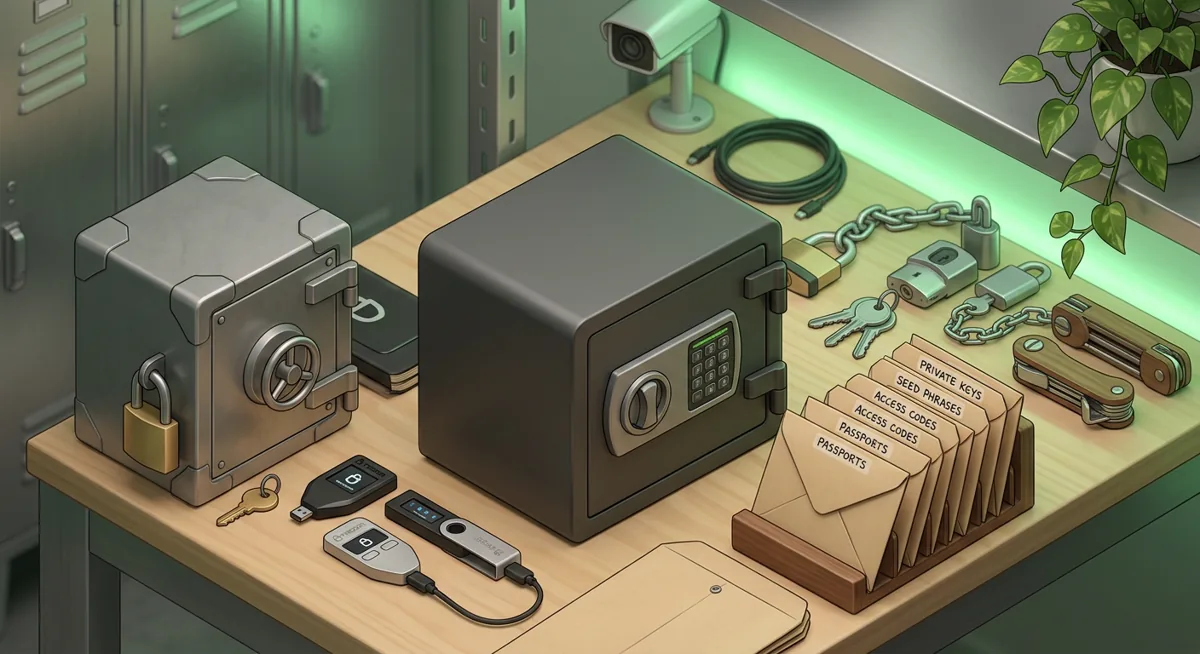
- Use a security safe or lockbox only if it fits your situation: theft resistance, fire exposure, water risk, and whether someone nearby may casually open it.
- Avoid obvious hiding places such as desk drawers, laptop bags, bedside boxes, travel pouches, and the same envelope as wallet packaging.
- Consider whether the safe itself can be carried away.
- Protect paper from water, humidity, ink fading, and tearing. If using metal, make sure the markings remain readable after handling.
- Do not label the outside with crypto terms, wallet names, or anything that invites attention.
A safe is a layer, not a complete plan.
Step four: separate devices from recovery backups
- Store the hardware wallet away from the written recovery phrase.
- Store keycards away from the device they unlock, when the product design allows that safely.
- Keep wallet packaging, cables, and manuals separate from secrets if they make the location more obvious.
- If you use a passphrase in addition to a recovery phrase, do not store both together in a way that gives one finder complete access.
- If a PIN is written down because you are planning for memory failure, store it so it does not sit beside the device.
The goal is simple: one discovered object should not be enough.
Step five: plan for damage, not just theft
- Ask what happens if the storage location floods, burns, is cleared out, or becomes unreachable.
- Keep backups protected from cleaning, pests, children, guests, and accidental disposal.
- Avoid flimsy envelopes that can be mistaken for trash.
- Use plain, boring labeling that helps you recognize importance without advertising value.
- Review whether trusted household members know not to throw the item away, without telling them more than they need to know.
In incident response, I often see losses caused by renovations, estate cleanouts, rushed travel, and “I thought that paper was old.”
Step six: create an emergency access plan
- Decide who should know that protected wallet recovery materials exist.
- Decide who should know where they are.
- Decide who should know how to use them.
- Keep those roles separate if that lowers risk for your household.
- Write a non-secret instruction note for emergencies, such as who to contact and which documents matter, without including the recovery phrase.
- If estate planning is involved, use formal planning rather than leaving a confusing puzzle for grieving people.
If no one can ever recover the wallet when you are unavailable, the storage plan may be too private. If too many people can recover it today, the plan may be too open.
Step seven: control access to the safe itself
- Treat safe keys, spare keys, combinations, and reset paperwork as sensitive.
- Do not keep the safe key in the same drawer as the safe, or the combination in the same folder as the recovery phrase.
- Change access if a roommate, former partner, contractor, or employee may have learned where items are kept.
- Be careful with smart locks, shared codes, and building access that might create logs or extra copies of entry paths.
- If you move, reassess everything.
A security safe can create a false sense of control if the access path is messy.
Step eight: rehearse without revealing secrets
- Check that you can find the hardware wallet, keycards, and recovery backup when needed.
- Check that writing is still readable.
- Check that trusted instructions still make sense.
- Check that no digital copy was created during setup, scanning, moving, or “temporary” organization.
- Do not enter the recovery phrase just to test curiosity. Only use recovery workflows when you have a clear reason and a safe environment.
I like quiet maintenance because it prevents the frantic search that causes people to make risky choices.
Step nine: respond quickly if storage may be exposed
- If someone may have seen or copied the recovery phrase, treat it as compromised.
- If a safe was opened unexpectedly, assume the contents may have been inspected.
- If a phone photo or cloud note ever held the phrase, assume it may still exist somewhere.
- Move funds using a clean setup and a newly created wallet when exposure is credible.
- Preserve notes about what happened, but do not share the secret with support agents, friends, or strangers online.
No support person needs your recovery phrase. No helpful stranger needs it. Anyone asking for it is asking for control.
Why does each key storage choice matter?
Why inventory matters
An inventory prevents forgotten assets without exposing the assets themselves. A safe inventory tells you what exists, where to look, and what not to throw away.
Why offline storage matters
Digital convenience changes the threat model. A paper backup in a locked place requires physical access. A photo or synced note may be reachable through account takeover, shared devices, old backups, or malware.
Why the safe choice matters
A security safe is useful when it fits the threat. If you fear casual discovery, a locked container helps. If you fear fire, water, or theft, the material, placement, portability, and concealment matter.
Why separation matters
Separation buys time and reduces single-event failure. A stolen backpack with a hardware wallet is bad. A stolen backpack with the wallet, PIN hint, and recovery phrase is much worse.
Why emergency planning matters
Self-custody can fail in opposite ways. It can be too exposed, letting the wrong person act, or too hidden, leaving the right person helpless.
Why review matters
Homes change, relationships change, and memory changes. The key storage plan that felt sensible during wallet setup may not fit after a move, a breakup, a new housemate, or a medical event.
The protective mindset I use
I ask one question at every step: “What if this one item is lost, seen, damaged, or misunderstood?” If the answer is permanent loss or immediate access for the wrong person, the storage plan needs another layer.
Questions and answers
- Should I keep my hardware wallet in the same safe as my recovery phrase?
I would avoid that when possible. Keeping the device and recovery phrase together can turn one opened safe into full wallet access.
- Is a bank box good key storage?
It can be one layer, but I would not treat any single location as the whole plan. Think about access hours, estate access, disaster risk, and protection from moisture or mistaken disposal.
- Can I store my recovery phrase in a password manager?
I do not recommend it for most people. A recovery phrase is strongest as an offline secret, and putting it in a digital system may expose it through account access, synced devices, backups, or sharing mistakes.
- What if someone may have seen my recovery phrase?
Treat it as exposed. Create a fresh wallet in a safe environment and move funds according to the wallet instructions you trust.
- How do I store recovery phrase securely without my family losing access forever?
Separate knowledge into layers. A trusted person can know that important wallet recovery materials exist and where emergency instructions are kept, while the actual secret remains protected until it is truly needed.